If, for any reasons, you need to delete your existing eSIM account in your Red Bull MOBILE Data app, just follow these steps:
Open the Red Bull MOBILE Data App on your smartphone.
For iOS devices:
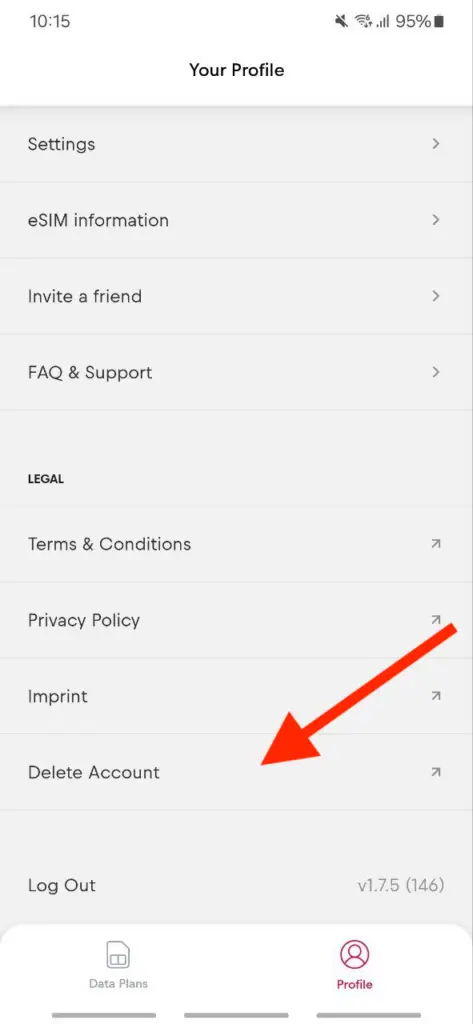
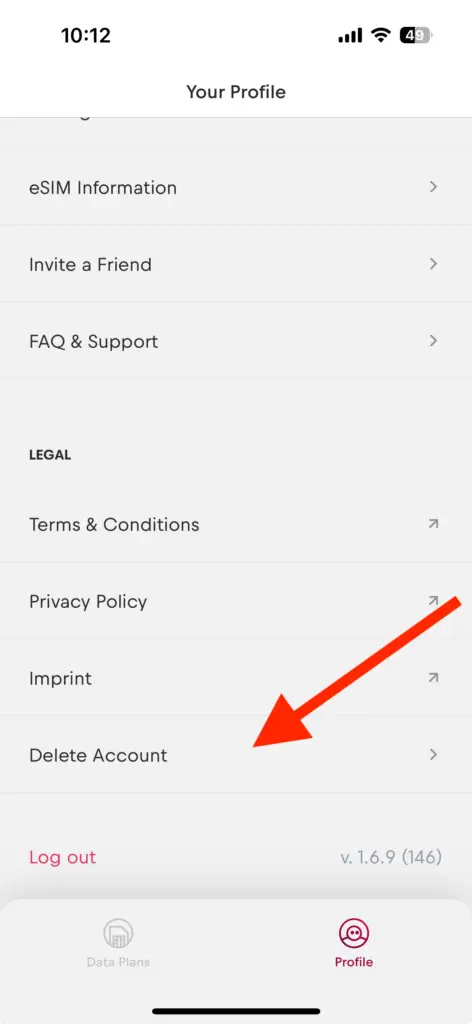
Click on “Profile” > scroll down to “Delete Account”, select that you understand the account will be permanently deleted, click “Yes” to delete the account.
For Android devices:
Click on “Profile” > “Delete Account”, select that you understand the account will be permanently deleted, click “Yes” to delete the account.